POST
/
api
/
v2
/
message
Mensaje de lista
curl --request POST \
  --url https://whatsapp.heybot.cloud/api/v2/message \
  --header 'Authorization: Bearer <token>' \
  --header 'Content-Type: application/json' \
  --data '
{
  "to": 123,
  "type": "<string>",
  "interactive": {
    "type": "<string>",
    "header": {
      "type": "<string>",
      "text": "<string>"
    },
    "body": {
      "text": "<string>"
    },
    "footer": {
      "text": "<string>"
    },
    "action": {
      "button": "<string>",
      "sections": [
        {
          "title": "<string>",
          "rows": [
            {
              "id": "<string>",
              "title": "<string>",
              "description": "<string>"
            }
          ]
        }
      ]
    }
  }
}
'

Documentation Index

Fetch the complete documentation index at: https://docs.heybot.cloud/llms.txt

Use this file to discover all available pages before exploring further.

  • Los mensajes de lista interactiva te permiten presentar a los usuarios de WhatsApp una lista de opciones para elegir.
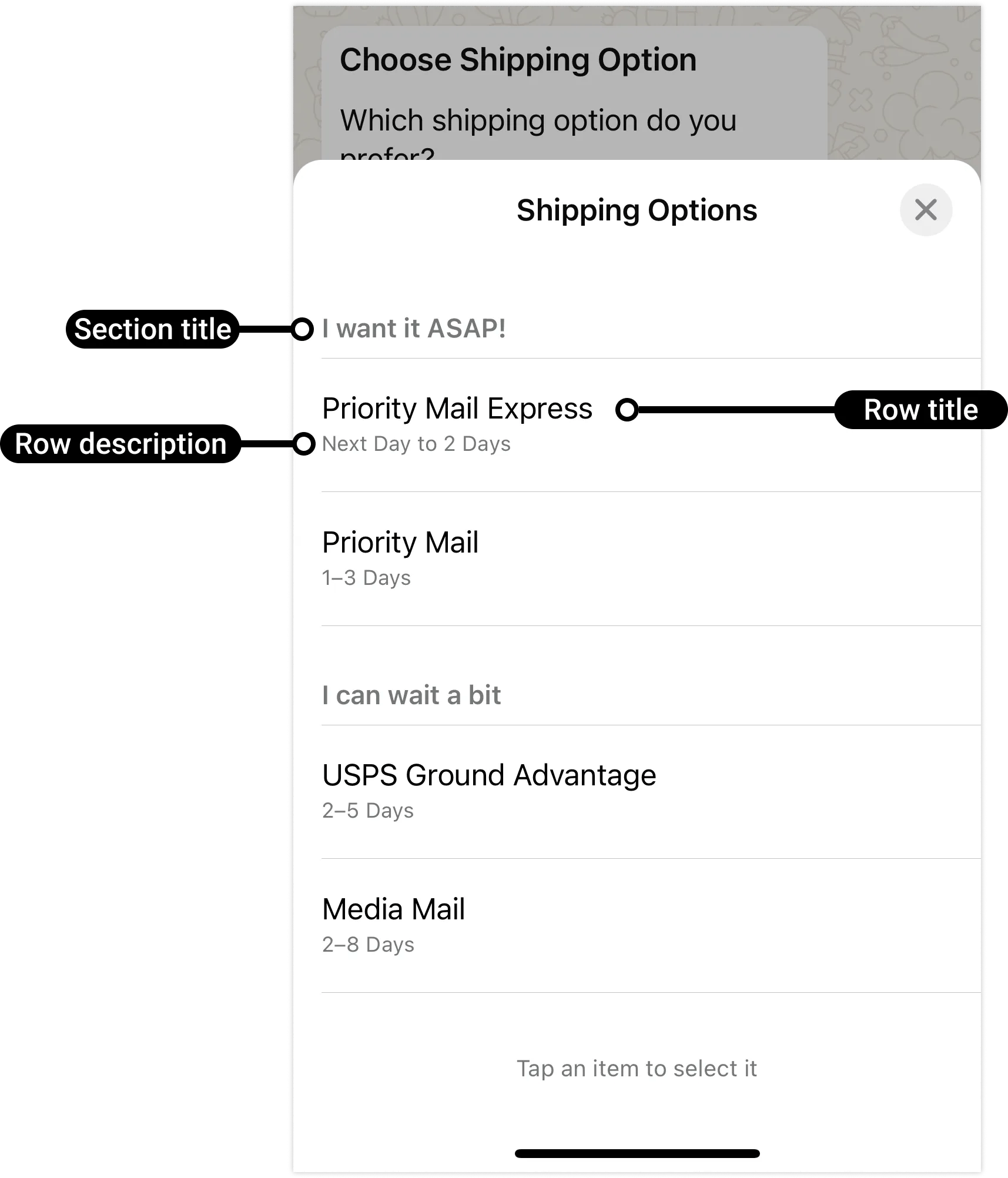
  • Cuando un usuario toca el botón en el mensaje, se muestra un cuadro de diálogo con las opciones disponibles.
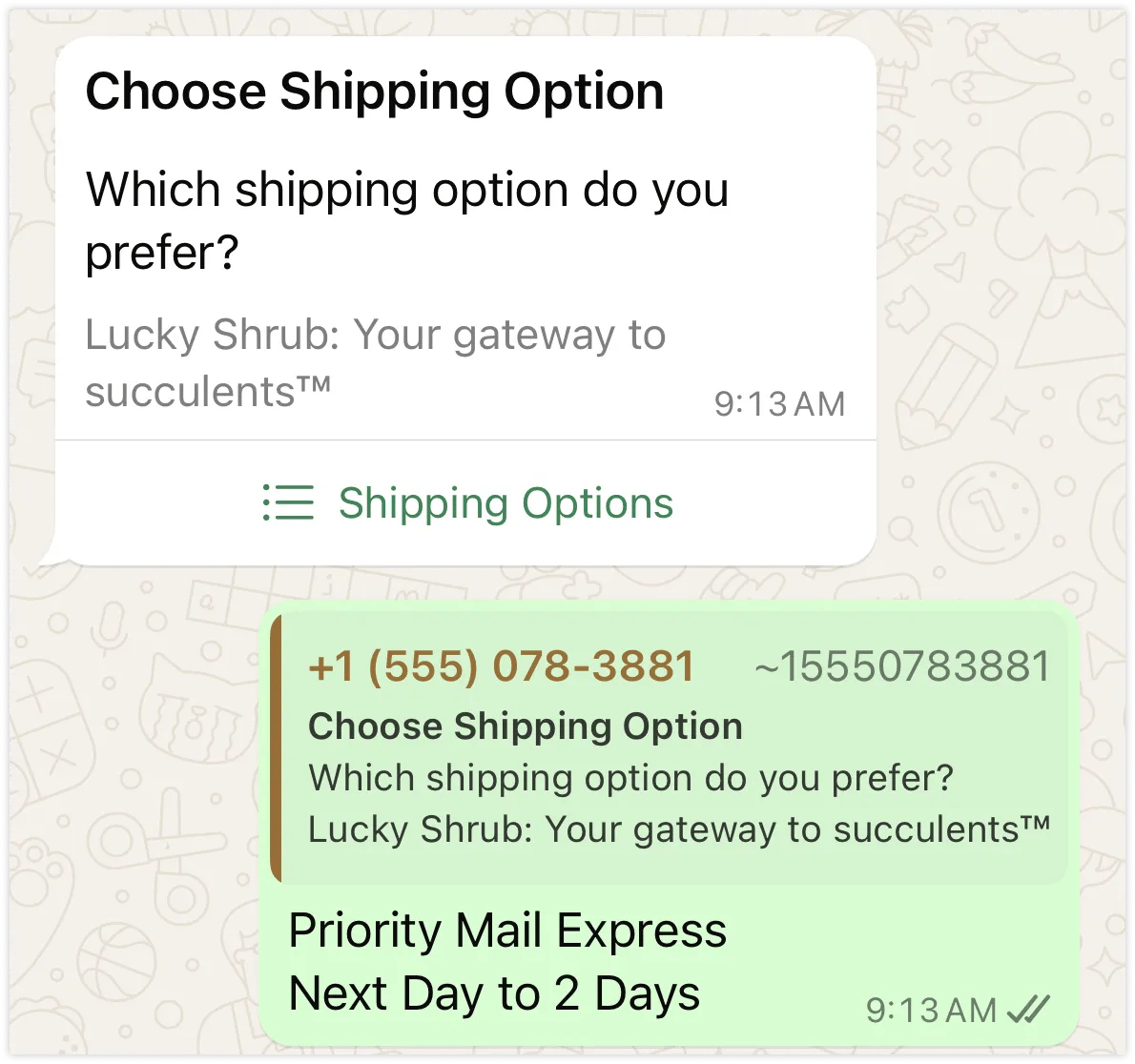
  • Luego, el usuario puede elegir una opción y su selección se enviará como respuesta.
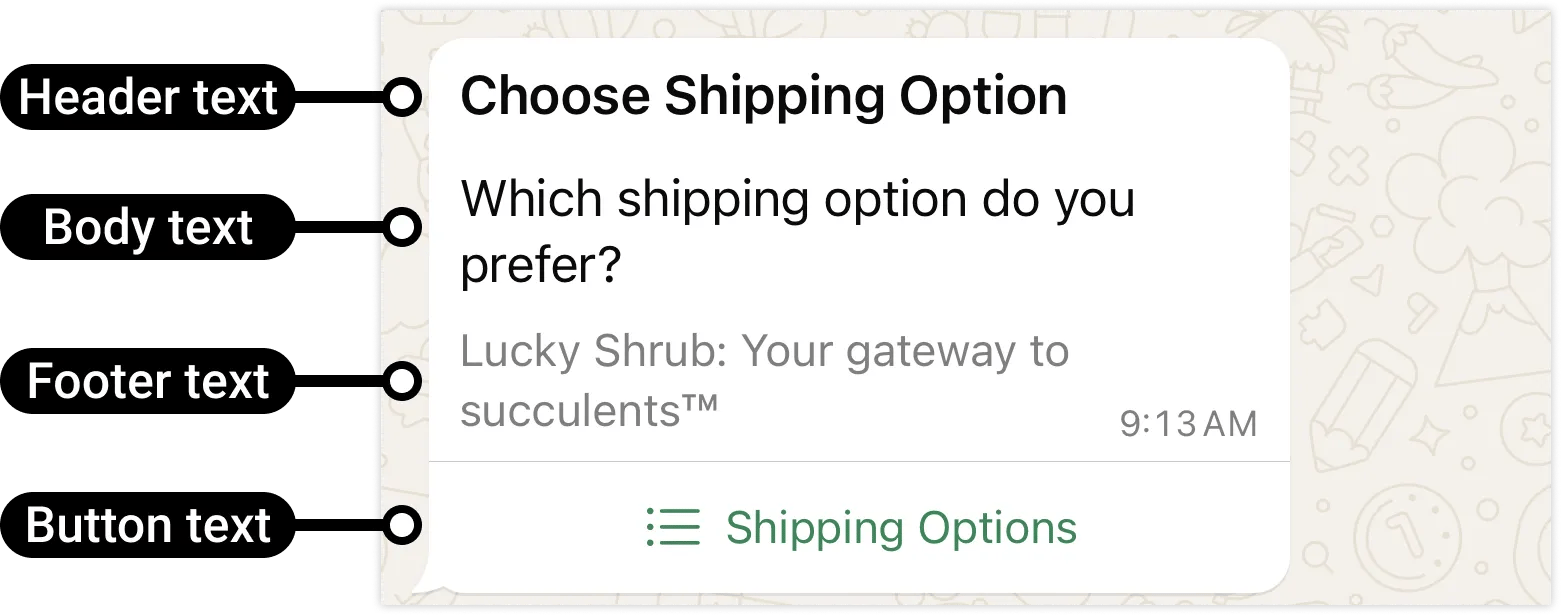
Los mensajes de lista interactiva admiten hasta 10 secciones, con hasta 10 filas para todas las secciones combinadas, y pueden incluir un encabezado y un pie de página opcionales.
to
integer
default:5219876543210
required
Número de WhatsApp del destinatario en formato internacional, sin símbolos ni espacios.
type
string
required
Tipo de mensaje a enviar. Para este endpoint debe ser interactive.
interactive
object
required
The interactive message payload configuration.

Ejemplo

{
  "to": 5219876543210,
  "type": "interactive",
  "interactive": {
    "type": "list",
    "header": {
      "type": "text",
      "text": "<MESSAGE_HEADER_TEXT>"
    },
    "body": {
      "text": "<MESSAGE_BODY_TEXT>"
    },
    "footer": {
      "text": "<MESSAGE_FOOTER_TEXT>"
    },
    "action": {
      "button": "<BUTTON_TEXT>",
      "sections": [
        {
          "title": "<SECTION_TITLE_TEXT>",
          "rows": [
            {
              "id": "<ROW_ID>",
              "title": "<ROW_TITLE_TEXT>",
              "description": "<ROW_DESCRIPTION_TEXT>"
            }
            <!-- Additional rows would go here -->
          ]
        }
        <!-- Additional sections would go here -->
      ]
    }
  }
}